
Regions, spacing, density, table structure, toolbar placement, and empty states.
Use case
Turn visual specs into reviewable pull requests.
Drop a screenshot, wireframe, or product reference into a ticket. Specship translates visual intent into acceptance criteria, implementation constraints, tests, and a pull request your team can review in the normal code workflow. The image guides layout and hierarchy; the criteria define the behavior reviewers can verify.
Proof library
See visual-spec implementation evidence.
Direct answer: a visual-spec-to-code AI agent turns screenshots,
wireframes, or UI references into scoped tickets, acceptance criteria, code changes, and
reviewable pull requests. The strongest visual specs pair the image with component
constraints, responsive states, tests, and PR evidence.
Interpretation
What the agent should extract from a visual spec.
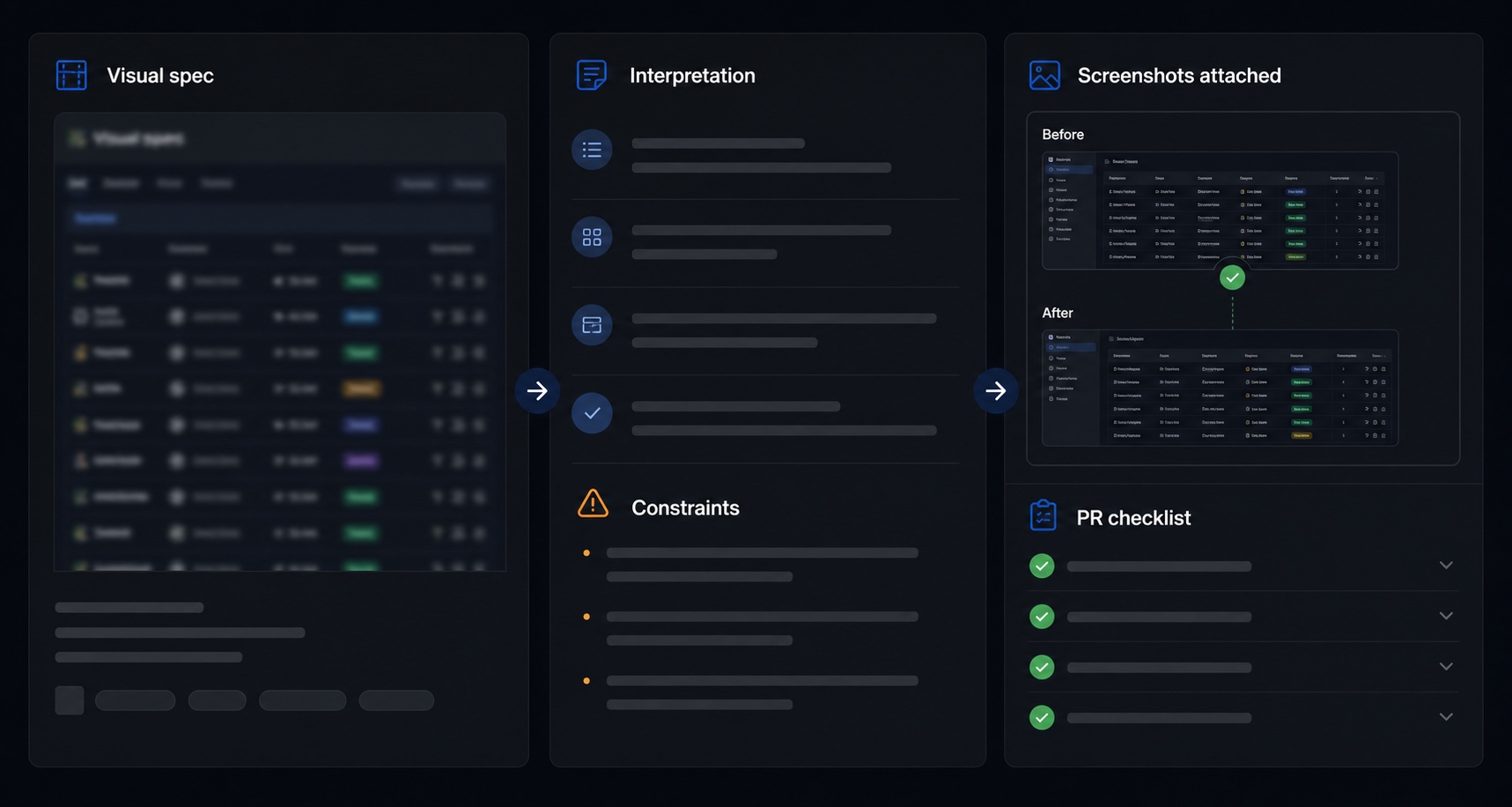
A screenshot can communicate hierarchy quickly, but reviewers still need concrete engineering evidence. Specship treats visual specs as inputs to a ticket-to-PR workflow, not as a replacement for acceptance criteria.
Filters, sorting, save flows, permissions, loading states, and error states.
Existing components, tokens, routes, breakpoints, copy rules, and accessibility expectations.
Tests, screenshots, implementation notes, and a PR checklist reviewers can compare.
Good fit
Best for product UI where the desired shape is visible.
Dashboard and table updates
Columns, filters, toolbars, bulk actions, export buttons, and dense data layouts.
Forms and settings screens
Input states, validation, permissions, helper text, and save flows.
Empty, loading, and error states
Polish tickets that need consistent behavior across product surfaces.
Design-system alignment
Requests where the agent should use existing components instead of inventing new UI primitives.
01
Attach
Add the screenshot, wireframe, or reference image to the ticket.
02
Constrain
Name the existing route, component library, breakpoints, and states that matter.
03
Specify
Convert visual details into acceptance criteria a reviewer can verify.
04
Review
Inspect the pull request, screenshots, tests, and comment-driven follow-up commits.
What to put in a visual-spec ticket
Reference
Attach the image and say whether it is exact, directional, or only a layout hint.
Component constraints
Name existing components, tokens, routes, and states the agent should reuse.
Responsive behavior
Call out desktop, tablet, mobile, overflow, and long-text expectations.
Review evidence
Ask for screenshots, visual diff notes, tests, and the implementation trade-offs in the PR body.
Visual specs are strongest when paired with plain-language acceptance criteria. The image shows what the target should feel like; the criteria define what the system must do.
Review evidence
Ask for proof that the PR matches the visual intent.
The pull request should not ask reviewers to trust that a screenshot was followed. It should make the comparison easy with screenshots, notes, tests, and responsive-state callouts that map back to the ticket.
Example visual-spec acceptance criteria
- The dashboard table keeps filters, search, export, and bulk actions visible above the rows.
- Column order matches the attached reference on desktop and collapses predictably on mobile.
- Empty, loading, and error states use existing design-system components.
- The PR includes before/after screenshots and notes any intentional deviation from the visual reference.