Use case

By Specship · Last updated June 12, 2026

Ticket-to-PR AI agent for teams that already ship from tickets.

Specship is a ticket-to-PR AI agent for teams testing ticket to PR automation: it turns a product request, bug report, or screenshot into acceptance criteria, failing tests, implementation commits, and a review-ready pull request. The workflow can keep moving through queued tickets while staying inside your Git, project-management, budget, and review controls.

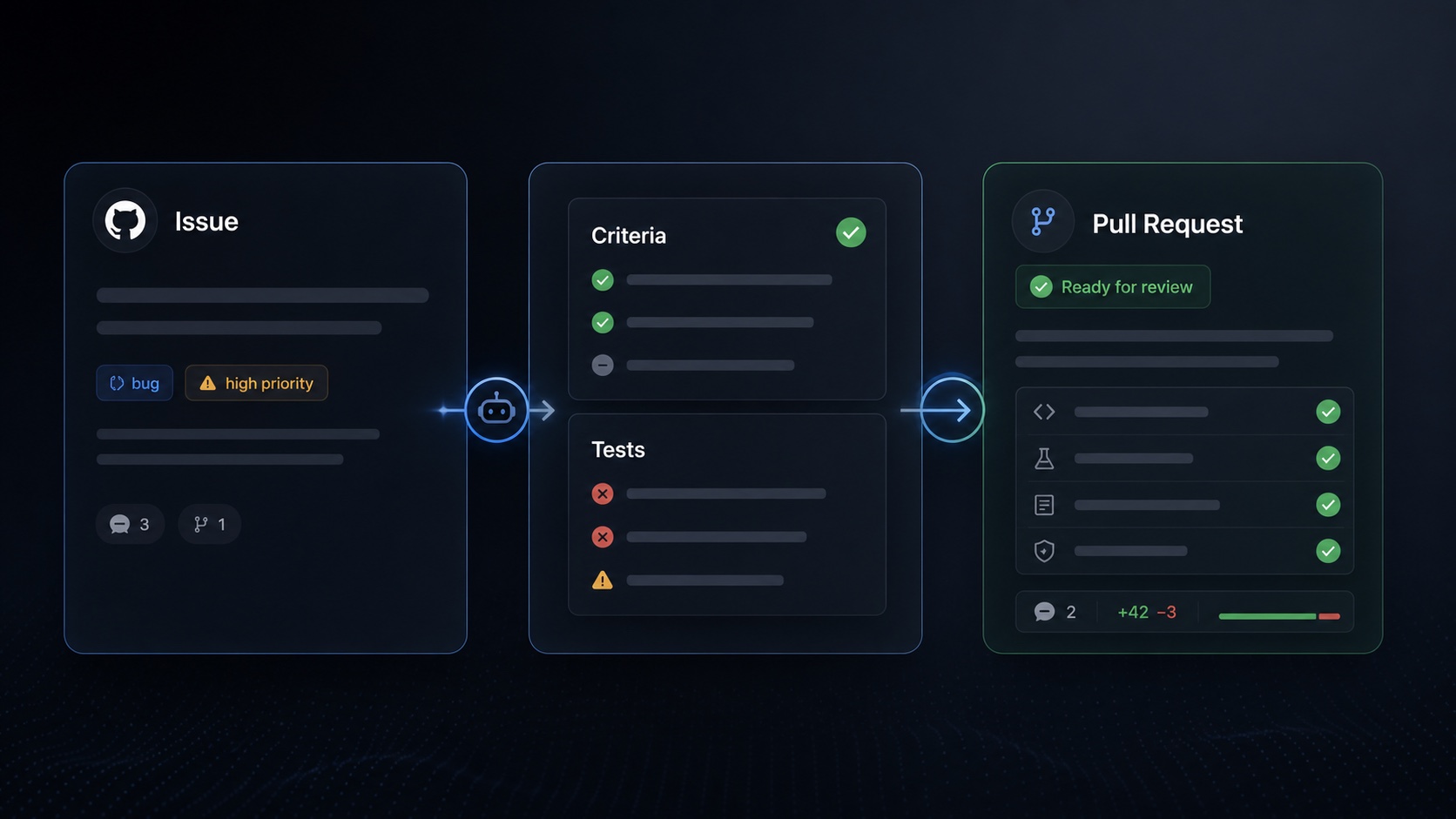
Specship workflow visual showing issue intake, acceptance criteria, tests, and a pull request ready for review.
Direct answer: ticket-to-PR automation turns a software ticket into acceptance criteria, failing tests, implementation commits, and an AI-generated pull request that can be reviewed with normal Git and CI controls.
Continuous execution

Create tickets on the fly. Let the system keep working through the queue.

Desktop coding agents and IDE assistants usually stop when the local session stops or when the current interaction runs out of context. Specship is designed around queued, async ticket execution: a founder or team can keep adding scoped tickets while the system works through eligible implementation tasks in dependency order.

Queued backlog work

Tickets can wait in the queue until dependencies, budget, repo policy, and required approvals allow execution.

Review gates stay visible

PRs still go through checks, protected paths, risk tiers, and human review rules instead of bypassing engineering controls.

PR comments continue the loop

Reviewer comments can trigger follow-up commits on the same branch, keeping the output anchored to the ticket and PR.

When to use it

Best for clear outcomes, repeated implementation work, and reviewable changes.

Feature tickets

Small to medium features with a visible product outcome, testable acceptance criteria, and existing patterns in the repo.

Bug reports

Issues where the desired behavior is known and the agent can reproduce the failure with a test before fixing it.

Visual specs

Dashboard, table, form, and settings-page updates where a screenshot or wireframe can guide implementation.

Backlog cleanup

Polish, migrations, test coverage, refactors, and integration chores that are important but easy to postpone.

01

Ticket

Write the request in Linear, Jira, GitHub Issues, ClickUp, Notion, or Specship's own queue.

02

Spec

The agent turns intent into acceptance criteria and asks when the ticket is ambiguous.

03

Tests

Failing tests come first so reviewers can see the behavior being protected.

04

PR

Implementation lands as a branch and pull request with checks, coverage, and review context.

Process

How an AI agent writes code from tickets.

The agent treats the ticket as the starting point, not the whole specification. It uses repository context, existing conventions, and review feedback to produce a pull request that a human can inspect before merge.

A

Read the ticket and repo

The agent maps the requested behavior to existing files, tests, components, and APIs.

B

Clarify acceptance criteria

Ambiguous tickets are pushed back into a spec step instead of silently guessing.

C

Write tests before implementation

Failing tests give reviewers a concrete signal for the intended behavior.

D

Open an AI-generated pull request

The branch includes implementation notes, check results, and review context for engineers.

Evaluation

How to compare ticket-to-PR AI with other coding tools.

The buying question is not whether an AI can generate code. The better question is whether the tool can take normal backlog work and produce a pull request with tests, constraints, review context, and a clear failure mode.

Chatbot patch

Fast for snippets, weak for repository policy, review trails, and queued execution.

IDE assistant

Useful while a developer is actively coding, but still centered on the local interactive session.

Ticket-to-PR agent

Starts from a ticket, works asynchronously, opens a PR, and keeps review controls in the workflow.

Concrete example

From bug ticket to review-ready PR.

Ticket

"CSV export drops the timezone column on filtered reports."

Spec

Keep the timezone column for filtered and unfiltered exports; add coverage for both paths.

Agent output

Failing export test, code change on a branch, passing checks when available, and a pull request summarizing the fix.

Human control

An engineer reviews the diff, asks for changes if needed, and merges only under the repo's normal policy.

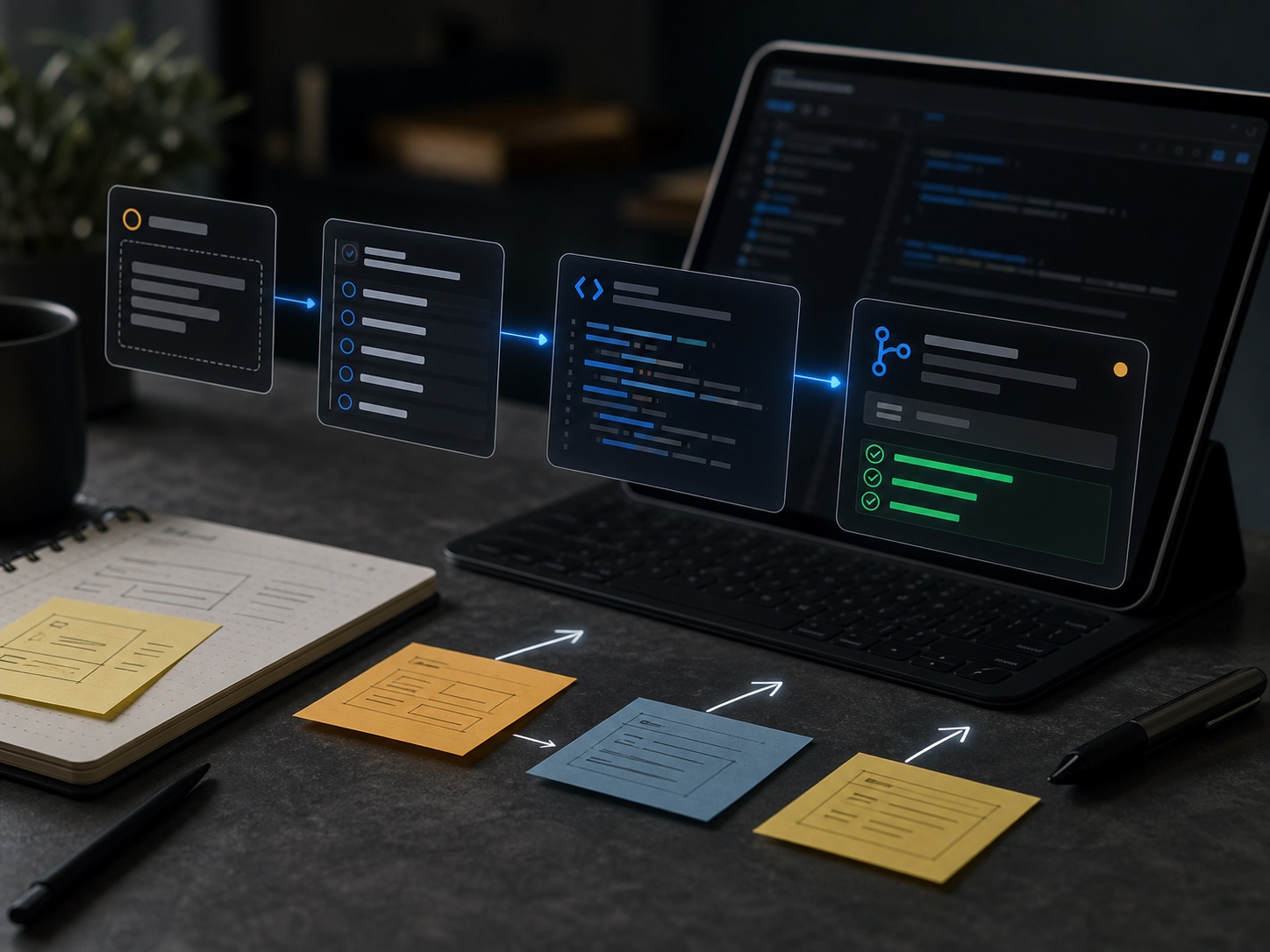
Visual workflow showing a request moving through planning, code, pull request, and passing tests.
Why it works

Specship keeps the shape of normal engineering work.

The output is not a magic chat transcript. It is a normal branch, normal tests, a normal pull request, and normal reviewer comments. That keeps the workflow auditable and gives engineers a clean place to accept, redirect, or take over.

  • Specs and tests make the agent's intent reviewable before implementation.
  • PR comments become follow-up code changes on the same branch.
  • Budget caps, protected paths, and merge policy bound the automation.
Fit check

When not to use ticket-to-PR AI.

Ticket-to-PR AI is strongest when the desired behavior can be tested and the repository already has usable patterns. It is a poor fit when the work needs human judgment before code exists.

Unclear product direction

Use human planning first when the ticket is really a strategy decision or product debate.

High-risk security changes

Keep close human review for auth, permissions, secrets, payments, and data-deletion paths.

Untestable outcomes

If the expected behavior cannot be described or checked, the agent has little evidence to work from.

Live production incidents

Incident response often needs operator judgment, coordination, and rollback discipline before code generation.

FAQ

Ticket-to-PR AI agent questions.

What is ticket-to-PR automation?

Ticket-to-PR automation is a workflow where a software ticket is turned into acceptance criteria, tests, implementation commits, and a pull request for human review in the normal Git and CI process.

How does a ticket-to-PR AI agent write code from tickets?

A ticket-to-PR AI agent reads the ticket, clarifies ambiguous requirements, drafts acceptance criteria, inspects the repository, writes failing tests, implements the change on a branch, runs checks, and opens a pull request with review context.

Are AI-generated pull requests merged automatically?

Specship is designed around normal review controls. AI-generated pull requests can be reviewed, redirected, or rejected by humans, and merge behavior should follow the repository policies your team already trusts.

When should teams avoid ticket-to-PR AI?

Teams should avoid ticket-to-PR AI for vague strategy work, high-risk security changes without close review, undocumented legacy systems, production incidents that require live operator judgment, and changes where the desired behavior cannot be tested.

Can a ticket-to-PR AI agent keep working while I am away?

Specship is designed for continuous backlog execution: users can create tickets on the fly and the system can keep working through queued tasks while respecting dependency order, budget caps, tests, repository policy, and review gates.

How is ticket-to-PR AI different from an IDE coding assistant?

An IDE coding assistant helps a developer during an interactive coding session. A ticket-to-PR AI agent starts from a ticket, prepares criteria and tests, implements asynchronously, and opens a pull request for review.

Does Specship work with ClickUp, GitHub Issues, Linear, and Jira tickets?

Specship has native ClickUp integration in private beta and pages for GitHub Issues, Linear, and Jira ticket-to-PR workflows. Native integrations and MCP-based adapters are the intended direction.

Try Specship on the tickets your team keeps postponing.

Start with a clear backlog item, one repo, and a review rule you trust.

Join the waitlist